

Hello Families of Markham Montessori School!

It was such a pleasure to meet and photograph your child!  

Please find your child(ren)’s gallery by clicking on the button, locating your child’s class, then name and entering the access code sent in the email to view the photos.

Within that main album, you will find specific sub-albums for each individual child and the graduation photos.


You can order digitals, prints and canvases directly from the galleries!

(Digital orders are sent within 2-3 days after order and print orders will be delivered approximately 3 weeks after GALLERY EXPIRATION DATE.)

A complimentary digital image of the class photo will be included for all orders placed! 

If you are purchasing full albums of your child + graduation photos,
we have discount codes available.

Please view the step-by-step instructional videos below to apply the discounts for your purchase:

The gallery expires Monday June 22nd 2026!
Please place your orders by then.

(Click the blue button to access gallery)

ORDERING INSTRUCTIONS & VIDEOS

CLICK ON THIS VIDEO TO ORDER THE FULL ALBUM

OF THE CHILD + GRADUATION PHOTOS WITH A DISCOUNT ($150)
1) Open up album of child in regular clothes and click on any image in this album
2) Click on Buy Photo, when the price meu pops up, click on Digitals
3) Click on Digital Images of 1 Child in colour & b&w 
4) Select All Photos in the Album (this should be highlighted in yellow) and click on Buy Digitals
4) Go back to the main album and open up the graduation album
5) Click on any image in the graduation album, click Buy Photo 
6) When the price meu pops up, click on Digitals
7) Click on Digital Images of 1 Child in graduation gown
8) Select All Photos in the Album (this should be highlighted in yellow) and click on Buy Digitals
9) Go to the Shopping Car to confirm both albums have been added with the relevant images selected  This is important so that the system sends you the correct images
10) Click Add Promo (in blue, under Subtotal at the top right corner) and type in GRADUATION
11) The total should be $150+hst
10) Process payment and you will receive an email with the link to download all the images
Here are the step by step instructions on how to place your order:
 
1) Open the link and click on your child’s class and then enter your personal password (in the email sent to you)
 
2) Scroll through the gallery and click on the shopping bag icon on your selected image (bottom right hand corner on the image)
 
3) A new menu will pop up on the right with the following options:
 
Packages – these are a set of photo prints in several popular sizes and are discounted as a set (all the prints from one package are of the same image)
 
Prints – a la carte single prints in different size options.
 
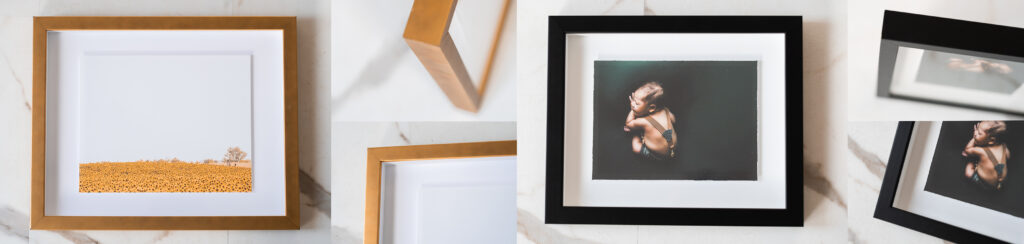
Framed Prints & Canvases – large size prints in frames (black or gold) or with a canvas finish and stretched on a frame.  The print comes with the full gallery of digital images of one child but does not include sibling photos.

Digitals – digital image that will be sent to you for downloading. Here are a few options to choose from:
 
1) Option to purchase a single digital file for one image 
 

2) Option to purchase all the digital images (in colour) of your child at a discounted rate.  A complimentary set of black & white of the same images will also be included. (Once you select the option to purchase all the images you don’t need to select individual images, you can go straight to check out).


Retouching – 
you can choose this option if you’d like further retouching to be done on the photos such as removing scratches/blemishes on the skin, etc.  There is an option for retouching for a single image or all images.  Please also send notes for the retouching in the check out area (there’s an option to add notes) or email us here with your requests.
 
4) Once you’ve added your order for the first image into the cart, it’ll prompt you for your email address.  We use this for communication for the order only.
 
5) If you’d like further images, please go back into the main gallery by clicking on “Keep Shopping” and select the next image and add the print or digital options for this image and so forth until you are done.
 
6) Click Checkout, enter your personal information (email, name and address – you can use your daycare’s address if you prefer).  Enter in your credit card information.  Agree to terms and click Submit Payment.
 
7) We will receive and process your order and reach out to you once any print orders are ready.  The prints will be delivered to your school for pick up.

A complimentary digital image (printable up to 8×10) of the class photo will be included for all orders placed!

Thank you for your order !